
Download the very amazing age calculator designed by techguruplus.com
here in this calculator you just have to enter the date of birth of any person and you will get the result as Age in Years, Age in months, Age in Days, hours, minutes, seconds also in milliseconds, with date day as birth.
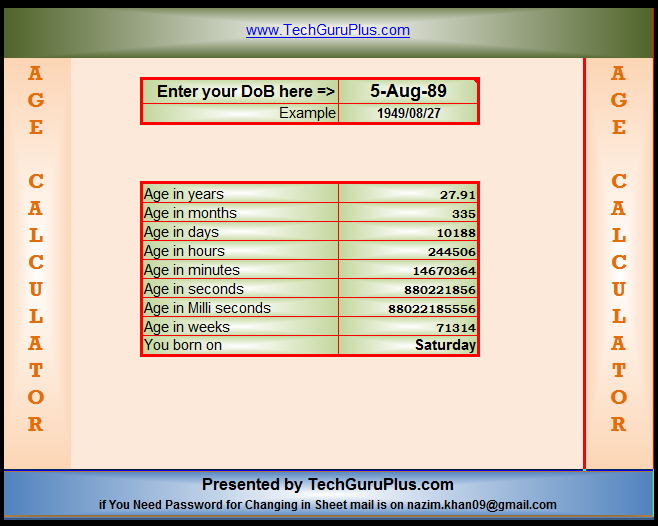

(Age Calculator in Excel .xls file download)
 Join Our WhatsApp Group


Nazim Khan (Author) 📞 +91 9536250020
[MBA in Finance]
Nazim Khan is an expert in Microsoft Excel. He teaches people how to use it better. He has been doing this for more than ten years. He is running this website (TechGuruPlus.com) and a YouTube channel called "Business Excel" since 2016. He shares useful tips from his own experiences to help others improve their Excel skills and careers.


nadim aap ko excel ka accha knowladge hai
GOOD
Sir, for age in years, we can also use this formula to get the desired result =YEARFRAC(D5,TODAY(),1) and for age in month, we can simply multiply the same by 12. Further, I have used this formula to get the months =YEARFRAC(D5,TODAY(),1)*12, result is coming 384.63 and your result Age in months is 384.65. I want to know why this difference is coming in values and which is the right answer.
Good sir
Sir, I want to lead the Excel formula maintain the sheet, and create a also dashboard