Printing cheques is one of those small office tasks that often ends up taking more time than it should. Handwriting details, aligning text, or correcting mistakes can be frustrating and time-consuming. That’s exactly why MoneyFlex, developed by ChequePrint.in, was created – to make cheque printing easy, professional, and completely error-free.
What Exactly Is MoneyFlex?
MoneyFlex is a simple yet powerful Excel-based cheque printing software that helps you print cheques for any bank, without needing any technical background. It’s designed for businesses, accountants, and even individuals who issue cheques frequently and want to save time.
Because the software works on Excel, most users find it incredibly simple to understand. There’s no complicated setup, no learning curve – just open it and start printing directly. You can adjust every detail of your cheque layout including the Payee Name, Amount, Date, and A/C Payee line so that it matches your bank’s exact format.
Cheque Printing Format Download Trail

Watch Video: How to Use This Format
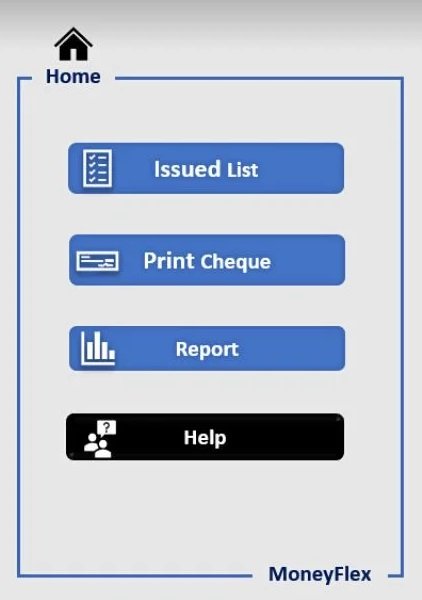
Home Page of MoneyFlex
Whether you’re running a small business or managing multiple accounts, MoneyFlex takes the hassle out of cheque printing. It’s quick, neat, and designed to make your day smoother. Once you start using it, you’ll wonder how you ever managed without it.
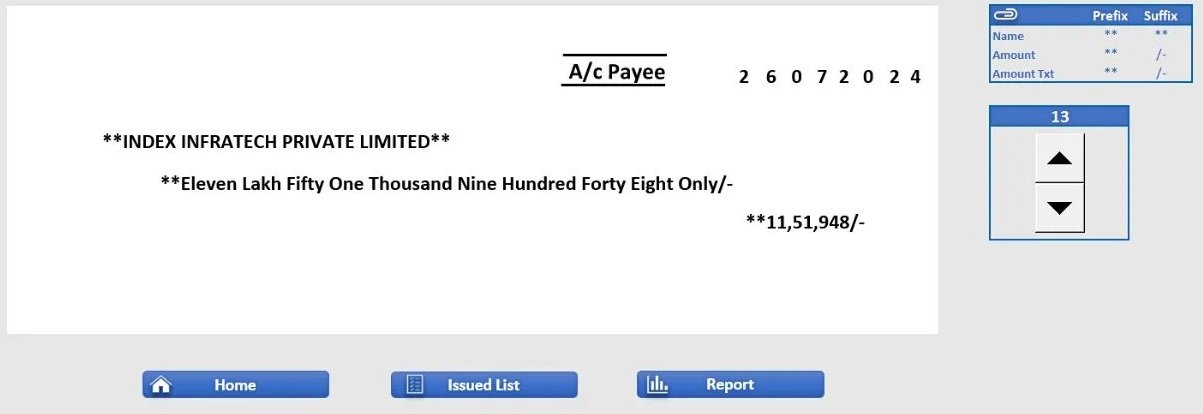
Cheque Printing Interface
The main reason users switch to MoneyFlex is because it’s completely customizable. You can drag and drop text fields to align perfectly with your cheque, change fonts, adjust colors, and even add a personal touch to make your cheques look more professional.
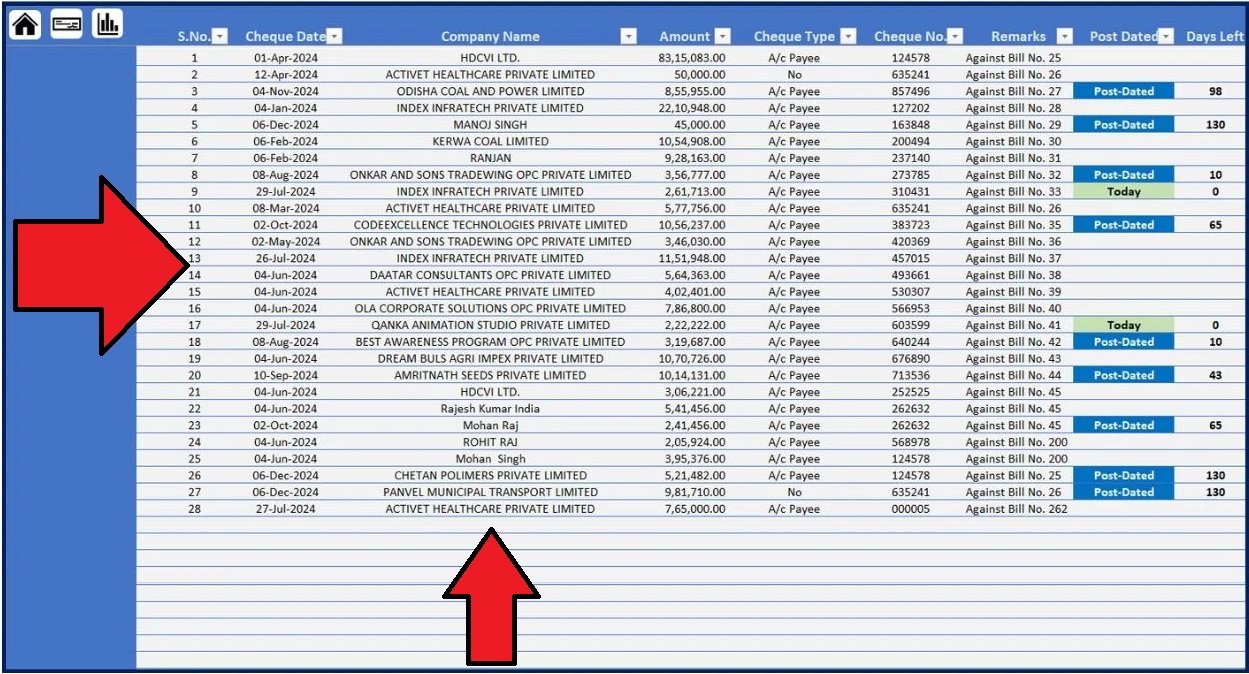
Cheque Issued List
It’s the kind of tool that saves you both time and effort every day, especially for offices that issue dozens of cheques regularly.
Download MoneyFlex Trial
Join Our Telegram Group

Join Our WhatsApp Group


Hi there,
Thank you so much for sharing your incredible job, I still need help please, your template is useful, I need the template shows One Thousand Five Hundred Sixty Eight Dollars And Twenty Three Cents Only**** instead One Thousand Five Hundred Sixty Eight And Twenty Three Paise Only**** , it would be possible to send me by email the template that I need?
Once again, thank you so much for your great job
Julio Augusto
Hi there,
Thank you so much for sharing your incredible job, I still need help please, your template is useful, I need the template shows One Thousand Five Hundred Sixty Eight Dollars And Twenty Three Cents Only**** instead One Thousand Five Hundred Sixty Eight And Twenty Three Paise Only**** , it would be possible to send me by email the template that I need?
Once again, thank you so much for your great job
Julio Augusto
good job if u r in mumbai would meet u personally contact me 7110010941
tHANKS ALOT BHAI
tHANKS ALOT BHAIJAAN
Hi , This sheet has a problem in updating 2019 dates. Also I am unable to unhide the sheet. Can you please advice.
Actually Usefull but can change paise to cents and if possible *** should begin from words not from upside, please email me you template
Hi I believe your software is pretty cool only problem is I cannot use here in Malawi Africa because you are writing lac and crore. In words we need say four million three hundred thousand five hundred and thirty-five tambala. Can you help me make this change please
SIR DATE FORMAT NOT WORKING IN PROPERLY
Required cheque printing format
Hello.
Thank so much for sharing wonderful work, Would you please help to fix the template shows Eight Dollars And Twenty Three Cents Only**** not Paise Only**** , Please send email the template how to fix this problem please.
Once again, thank you so much for your great job
Thank you so much for the template. It is very useful.
DATE FORMAT NOT WORKING AND SECOND THING IS ADJUST OF FONT IS VERY TUFF
21.10.2022 Please write in this format then Date will show otherwise showing wrong
just go to the date and use Apostrophe(‘) before date.. it will solve
eg. ’31/03/2021
Hi! how can i edit your program, as when i entered hundred thousand or million, it will appear “Lac” and for the cents it says “Paise” may you help me please
Dear Mr. Nazim:
Congratulations for your cooperation and helpful Macro program in Excel, this is very helpful people like me.
Could you please let me know how to make US dollar and Cents please.
Sir,
I need the above excel sheet in the format of Bahrain. Bcs here we have three decimal and and numbers also. pls help me. Example
100.600 (One hundred and 0.600 fills only)
110.900 (One hundred Ten and 0.900 fills only)
HOW TO PRINT CHEQUE ANY SETTINGS FOR THE SAME.
Thanks a lot sir.. Using it from 2 years..
hi,
how can i change the currency in wording , i am using in UAE
ok when i get the solution, i will upload on my website.
hello sir
thank the format is very usfull but i need as per my Country currency AFN and USD and also i need the amount should be in : six hundred thousand AFN only
THANK YOU VERY MUCH, BROTHER
It’s a great tool but when I am changing the date, it is not taking the data in date print box.
Kindly help.
kindly check the above videos
What would be the cost of the Software?
Sir plz check on website ChequePrint.in/payment-gateway/