AI video tools are developing fast, but their real value depends on how well they support actual production.
Some platforms are designed for impressive standalone clips, while others are more useful for structured creation. For many users, the key difference is whether a tool can support longer, more coherent video workflows.
What Is Videoinu?

Videoinu is an AI video generation platform designed for creators who want to build more structured videos rather than just isolated clips. Its general positioning is closer to long-form, narrative, and scene-based creation, which makes it different from tools that mainly focus on short social content or one-off visual experiments.
In practical terms, Videoinu appears most relevant for users building videos with a clearer sequence and progression. That includes creators making story-driven content, explainer-style videos, or longer narrative formats where multiple scenes need to connect in a more coherent way. The platform is less about detailed manual editing and more about helping users generate usable scenes efficiently, then build those scenes into a larger structure.
Features of Videoinu
Videoinu offers several AI video workflows in one platform, including text to video, image to video, video to video, faceless video creation, and story-based generation. This makes it easier for users to start from different types of input, whether they have a written idea, a visual reference, or an existing clip.
In practical use, Videoinu is better understood as a platform for longer-form video creation rather than only short clips. Its workflow is more suitable for users who want to build narrative videos, structure multiple scenes, and develop content with a clearer beginning, middle, and end.
Text to video can help draft scenes from written ideas, image to video adds motion to visual references, and video to video is useful for transforming existing footage while keeping the original sequence. The faceless and story-focused tools also make the platform relevant for creators producing long-form content without appearing on camera.
The overall experience is relatively accessible, though it still takes some experimentation to understand which workflow is best for a specific project. The learning curve is not mainly about editing skills, but about choosing the right generation path and using prompts consistently enough to keep a video cohesive across scenes.
Pros & Cons of Videoinu
Pros
- Supports multiple workflows in one place, including text to video, image to video, and video to video.
- Better suited to narrative and longer-form video creation than many AI tools that focus mainly on isolated clips.
- Story-based and faceless workflows make it practical for creators building structured content without traditional filming.
- Flexible starting points make it easier to adapt to different creative processes, whether users begin with scripts, images, or source footage.
- The platform is relatively approachable compared with more editing-heavy tools.
Cons
- Results can still vary between generations, so some experimentation is usually required.
- Users looking for very detailed manual control may find the workflow more generation-focused than editing-focused.
Videoinu AI vs Sora: Which Is the Better Video Generator?
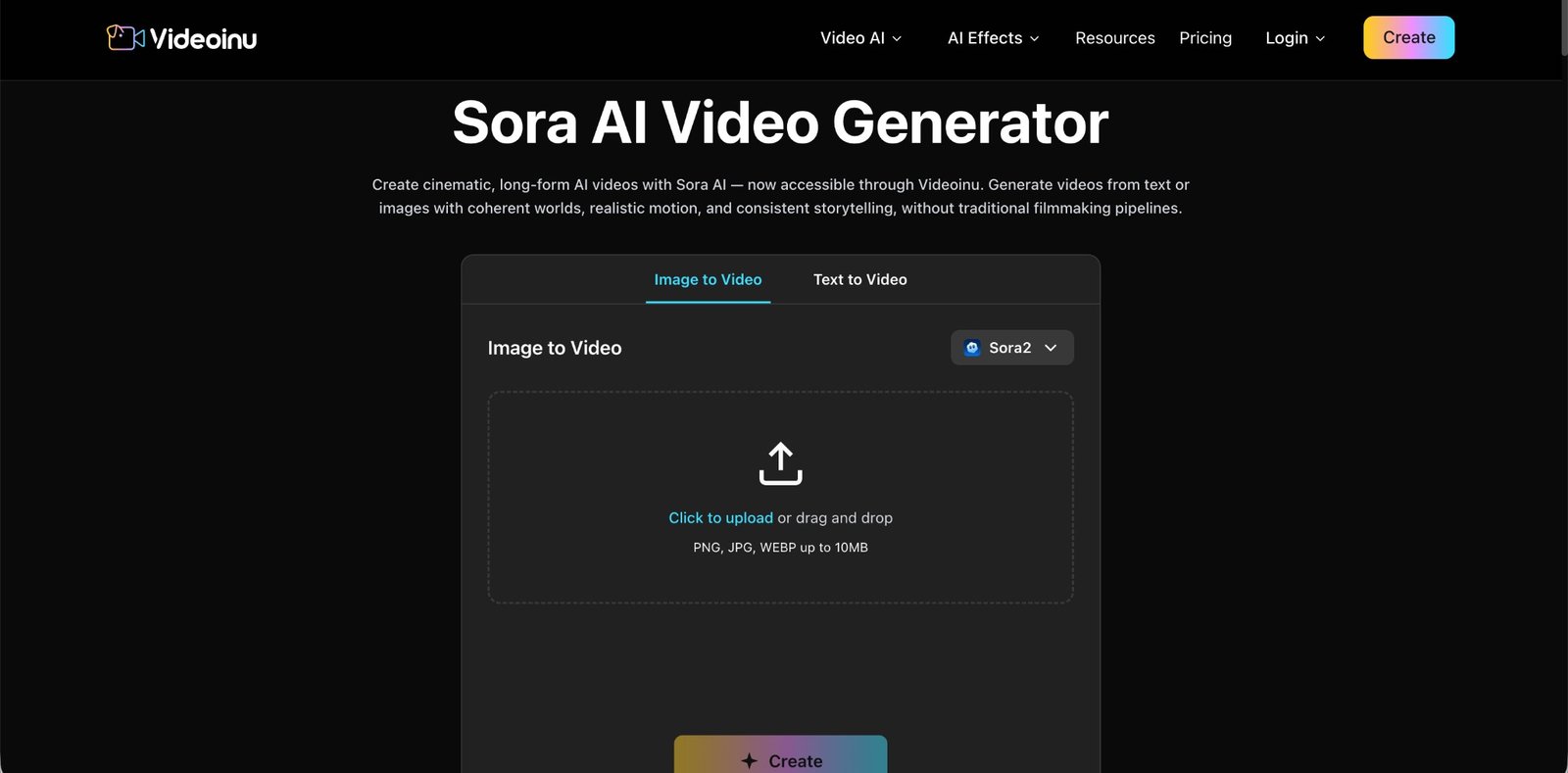
Sora is often discussed as a high-end AI video model known for realism and cinematic-looking output. Its appeal is clear: when it performs well, it can produce clips that feel visually advanced and closer to filmed footage. For users who care most about realism, Sora is often the reference point in the market.
That said, realism is not the only thing that matters. Many creators are not trying to produce a single visually impressive demo. They are trying to build complete videos with structure, pacing, and multiple connected scenes. This is where Videoinu AI feels different. Rather than centering the experience on one model identity, it offers a broader workflow for building videos from different inputs and organizing them into more coherent content.
For long-form and story-driven creation, Videoinu AI can be the more practical option. It gives users several ways to start a project, and its story-oriented approach fits creators who need narrative progression more than cinematic realism. In that sense, Videoinu AI may feel more usable for repeat production, especially when the goal is to create complete videos rather than showcase a single generated moment.
A simple way to think about the comparison is this:
- Choose Sora if your main priority is visual realism and cinematic output.
- Choose Videoinu AI if your priority is building longer, structured videos with a more flexible workflow.
This makes videoinu AI a logical alternative for users who care more about workflow, continuity, and practical content creation than maximum realism alone.
FAQs
What is Videoinu mainly used for?
Videoinu is mainly used for AI video creation with a stronger focus on narrative structure, multi-scene generation, and longer-form content.
Does Videoinu support text to video and image to video?
Yes. Videoinu supports text to video, image to video, and video to video workflows, giving users several ways to begin a project.
Is Videoinu only for faceless content?
No. It includes faceless video tools, but it is also useful for broader story-driven and structured video creation.
Is Videoinu AI a good alternative to Sora?
For users focused on longer-form, scene-based workflows, Videoinu AI can be a strong alternative. Sora is more often associated with realism, while Videoinu is more workflow-oriented.
Join Our Telegram Group

Join Our WhatsApp Group