Mobile video consumption is at an all-time high. From educational tutorials and documentary series to high-definition entertainment and music videos, the variety of online content accessible on Android devices is infinite.
However, relying entirely on a continuous internet connection to stream these videos comes with significant drawbacks. Network buffering, sudden data drops, and the constant interruption of intrusive advertisements can quickly ruin the viewing experience.
Fortunately, Android users have the flexibility to take full control of their media library. By transition from volatile online streaming to a structured offline management system, you can enjoy your favorite content anytime, anywhere.
This comprehensive guide explores practical strategies for downloading, organizing, and playing back high-quality videos smoothly on your Android device.
The Operational Benefits of Offline Video Viewing
For most smartphone users, mobile data is a finite and costly resource. Streaming high-definition videos repeatedly while commuting or traveling consumes immense bandwidth, leading to unexpected data charges.
Downloading your essential media assets over a secure, high-speed home Wi-Fi network and storing them locally is the most effective way to eliminate this ongoing financial drain.
Beyond the clear financial savings, offline viewing offers complete operational independence. When you fly on an airplane, travel through remote rural areas, or enter underground transit systems, cellular signals often disappear completely.
Having a curated selection of videos saved directly onto your local storage ensures that your workflow or entertainment remains completely uninterrupted, regardless of your geographic location or network availability.
Overcoming Download Bottlenecks for Fast Access
The process of moving video files from cloud servers to local mobile directories is often plagued by slow transfer speeds and corrupted downloads.
Many standard web utilities fail to utilize the full bandwidth capacity of modern internet connections, resulting in frustratingly long wait times for long-form video files.
To achieve fast downloads, users need a tool that can efficiently split files into multiple small segments and download them simultaneously. This parallel downloading architecture ensures that even massive 4K or 1080p video files are processed in a fraction of the time required by standard mobile browsers.
Speeding up this process allows you to quickly build a reliable archive of content without wasting hours monitoring progress bars.
Enhancing User Experience with Cleaner Toolsets
One of the biggest complaints users have regarding standard media applications is the heavy saturation of advertisements.
Many legacy downloading platforms bombard users with pop-ups, forced redirects, and background auto-play ads that severely degrade device performance and compromise user privacy.
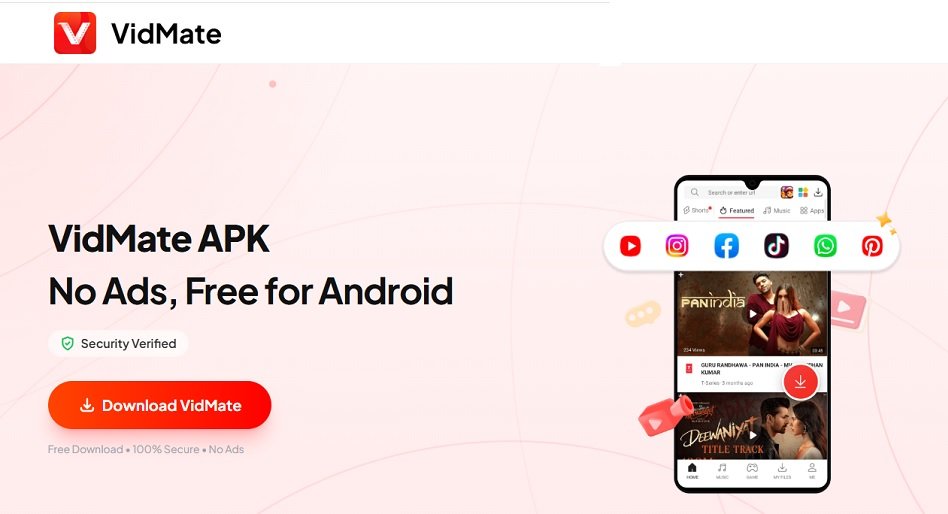
To bypass these operational headaches, modern tech enthusiasts are shifting toward optimized, lightweight alternatives. A standout solution in this landscape is the VidMate app, which provides a highly refined environment for video management.
Designed specifically as a clean, ad-free tool, it allows users to search, download, and store online content without the constant interruption of spam alerts. By prioritizing user focus and a clean layout, it ensures that the technical process of saving media files is straightforward, responsive, and completely seamless.
Advanced File Organization Strategies for Android Storage
Once you begin compiling a substantial volume of video assets, keeping your local storage organized becomes vital. An unmanaged download directory filled with thousands of randomly named video files makes finding specific content nearly impossible and clogs up your device’s internal memory.
1. Establish Clear Directory Structures
Do not let all your downloaded video files accumulate in the default “Download” folder. Create dedicated sub-folders based on content type, such as “Work Tutorials,” “Offline Documentaries,” or “Fitness Videos.” Categorizing your media assets ensures you can retrieve them within seconds.
2. Implement Systematic File Renaming
Many online videos are downloaded with generic cryptographic strings or highly confusing titles. Take a moment to rename files immediately after saving them. Use standard naming formats, including the topic name and resolution (e.g., SEO_Tutorial_1080p.mp4), to maintain structural clarity across your local media library.
3. Utilize External MicroSD Storage
High-definition media files occupy significant internal space. If your Android phone includes an expandable storage slot, configure your downloading utility to save files directly onto a high-speed MicroSD card. This approach prevents your device’s core operating system from slowing down due to low storage availability.
Ensuring Stable and Seamless Playback
Downloading a file successfully is only half the battle; ensuring stable playback without lag or audio synchronization errors is equally crucial. Different video platforms encode their media assets using varying codecs and file formats (such as MKV, MP4, WebM, or AVI).
If your mobile device lacks the native system resources to decode these files, you will experience stuttering video or completely silent playback.
To guarantee zero playback issues, it is essential to utilize media processors that support universal hardware acceleration. This technology leverages the core graphics processing unit (GPU) of your Android smartphone to decode high-resolution video streams smoothly.
This drastically reduces the computational strain on your main processor, preventing your phone from overheating and preserving battery life during extended offline viewing sessions.
The Long-Term Advantages of a Clean Local Library
Investing a small amount of effort into setting up a clean, reliable local video system provides compounding benefits over time.
Instead of being trapped in a cycle of constant online searches and repetitive data streaming, you gain a perpetual personal archive that serves your specific learning and entertainment needs.
Furthermore, removing your dependency on third-party streaming algorithms means you control exactly what you watch, free from algorithmic tracking or forced advertisement breaks.
It transforms your mobile hardware from a passive receiver of noisy digital content into an optimized, distraction-free environment for focused media consumption.
Managing online video files on an Android device does not have to be a complicated or frustrating chore. By focusing on smart offline viewing strategies, implementing fast and secure downloading habits, maintaining a clean directory framework, and prioritizing hardware-accelerated playback tools, you can completely revolutionize your mobile experience.
Choosing modern utilities that focus strictly on usability and an ad-free interface makes all the difference.
Transitioning away from bloated, ad-ridden web apps toward high-performance ecosystems empowers you to curate a high-quality, instantly accessible digital library that operates flawlessly whenever and wherever you need it.
Join Our Telegram Group

Join Our WhatsApp Group