Here is the Preview of this TDL file

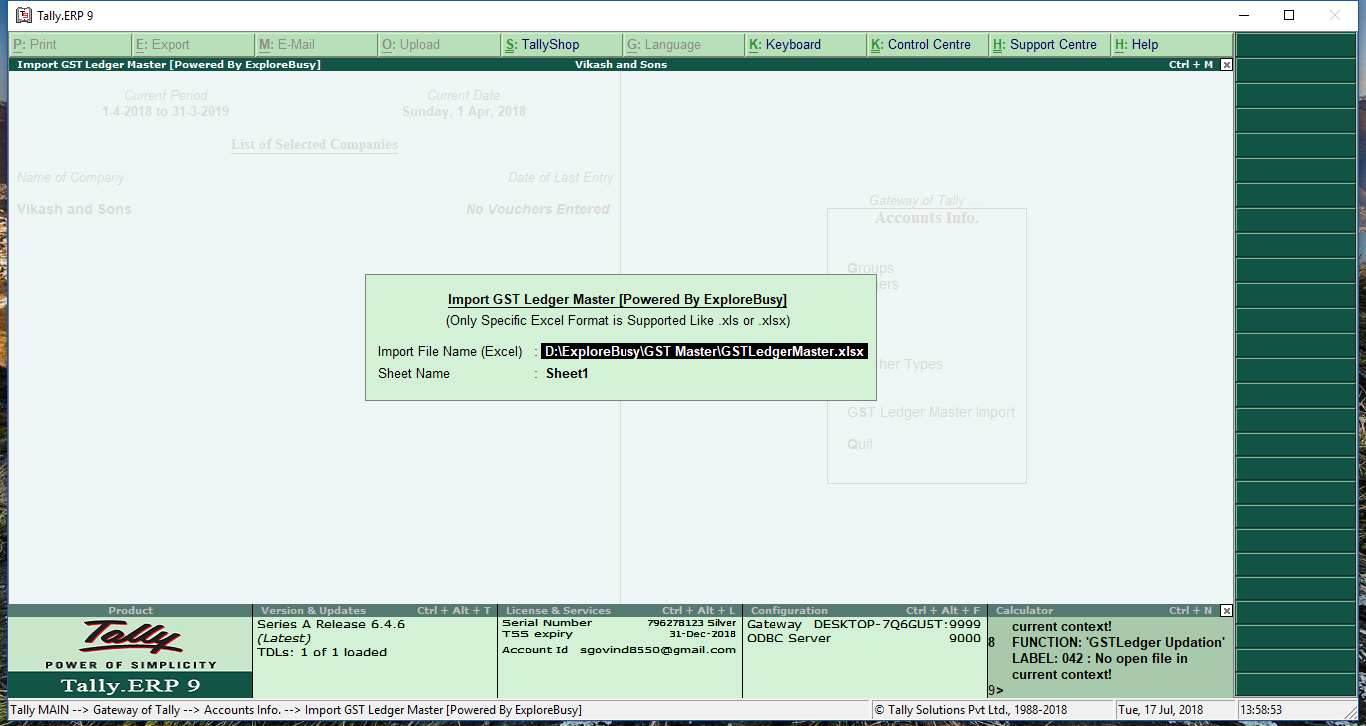
How to Install the TDL File in Tally
Step 1. Go to Gateway of Tally.
Step 2. Then Press Ctrl+Alt+T button
Step 3. Now Press F4 Button or Click on “Manage Local TDL” button
Step 4. Now do “Yes” to “Loan TDL Files on Startup” option
Step 5. Now in the next line “List of TDL Files to preload on Startup” Enter the TDL File Path or Location Like “E:\File.tdl”
Step 6. Now save the settings
Your TDL File is ready to use.
Watch this Video to Learn

Join Our Telegram Group

Join Our WhatsApp Group


please explain me in detail in respect of export of excel data to tally step by step.
Sir Kindly Provide Full Software detail and Price voucher and master ladger
‘Key:GST ledger template buttion’
could not find description
WHERE IS TDS CODE?
File not downloaded, please h elp
sir, I am not able to download voucher import tdl from excel to tally, what should I do
sir, I am not able to download voucher import tdl from excel to tally, what should I do
sir hmko tdl chahiye