
If you have a data in excel which has duplicate value lookup value in excel then each time you will get same result value due to duplicates.
so in the below video i have explained that how to apply vlookup if you have duplicate lookup value, actually we need another cell for the help.
In the below image we have Employee Name and Father’s Name if we merge both then a unique value will be created, on the base of which we can apply vlookup and get the result but we have to merge Employee’s Name and father’s name in blank sheet also, otherwise vlookup will not pick the correct values as we need.
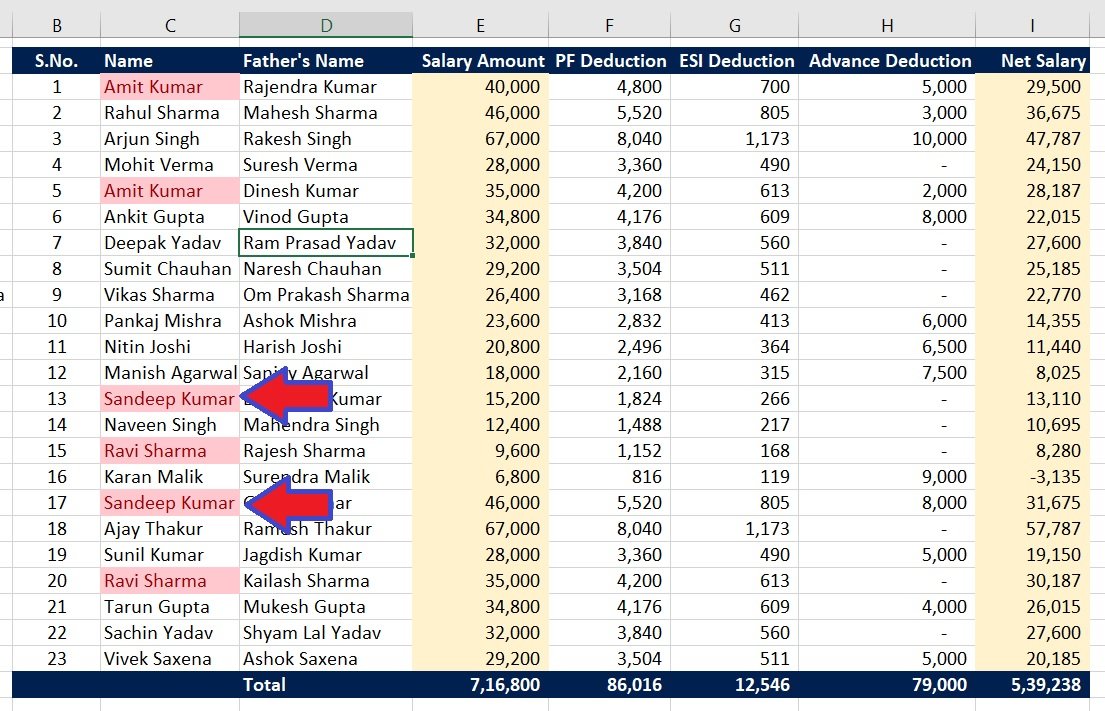
Merging Formula i have applied:
=C3&D3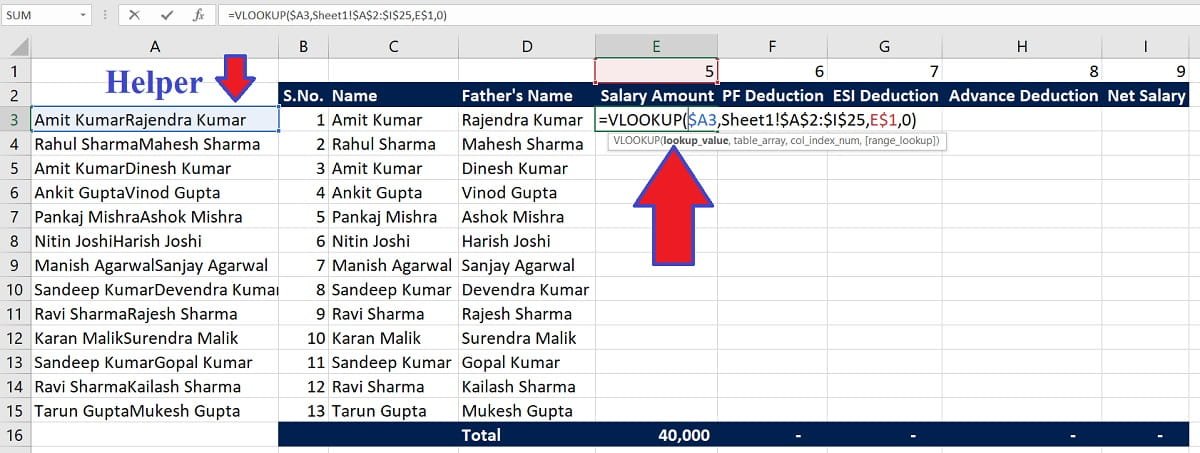
Formula i have applied in Blank sheet:
=VLOOKUP($A3,Sheet1!$A$2:$I$25,E$1,0)Now it will pick all the data from main sheet.
Video Tutorial
Join Our Telegram Group

Join Our WhatsApp Group

