नमस्कार दोस्तों आज हम एक ऐसे tdl फाइल के बारे में चर्चा करेंगे ,जिसकी मदद से आप अपने Message tally prime में Store कर सकते है तो चलिए देखते हैं कि हम कैसे उपयोग कर सकते हैं इस tdl फ़ाइल का tally prime में ?
Tally Prime TDL Code to Store Your Message
;; PRODUCT:
;; PRODUCT-ID: 6f8ba713-5ff5-40cc-9e41-e75d86a13c45
;; AUTHOR: TallyDeveloper

[#Menu: Gateway of Tally]
;; This will add a Menu-option before the Balance Sheet
Add: Item: Before: ~Balance Sheet: Message: Display: rptMyReport

;; Remarks
;; To add menu-option after Balance Sheet, use keyword After
;; Example:-
;; Add: Item: After:~Balance Sheet: Message: Display: rptMyReport
;; Add: Item: At Beginning: Message: Display: rptMyReport
;; Add: Item: At End: Message: Display: rptMyReport

[Report: rptMyReport]
Add: Form: frmMyForm

[Form: frmMyForm]
Add: Part: prtMyPart

;; This specifies that the width of the form must be 40% of the screen width
Width: 40% screen
;; This specifies that the height of the form must be 50 of the screen height
Height: 50% screen

[Part: prtMyPart]
Add: Line: lnMyLine

[Line: lnMyLine]
Add: Field: fldMyField

[Field: fldMyField]
Set as : "Welcome to TechGuruPlus.com"
Step 2: अब above code को Save करने के बाद Tally Prime पर TDL File अपलोड करें ( और अगर आपको Tally Prime पर TDL File upload करने का तरीका नहीं पता है तो नीचे दिए गए Link पर Click करें जो आपको Tally Prime पर TDL File अपलोड करने के लिए Guide करेगा )
Step 3: अब आप Gateway of Tally में नया option देख सकते हैं ass shown below

Step 4: Click on the “Message” option and you can see the message as shown in the message
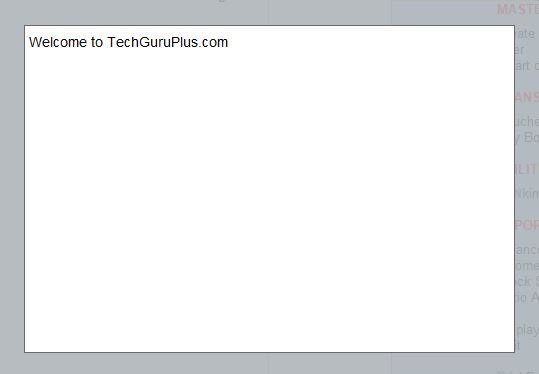
और इस तरह से आप Tally Prime पे MESSAGE Store कर सकते हैं ।
धन्यवाद दोस्तों! अगर आपको ये आर्टिक्ल पसंद आया हैं तो इसको सोशल मीडिया पर अपने दोस्तो के साथ जरूर से शेयर कीजिए, जिससे उनको भी ये जानकारी प्राप्त हो सके।
Download Button पर Click कर के फ़ाइल डाउनलोड करें
Join Our Telegram Group

Join Our WhatsApp Group


Dear sir
Ledger replace tdl working 100% in Tally ERP9 but partly working in Tally Prime